📱 Your App Looks Great. But Can Everyone Use It?
Navya Pillai
iOS Engineer | Swift, SwiftUI | Health & fitness apps | Accessibility advocate
📱 Your App Looks Great. But Can Everyone Use It?
As iOS developers, it's easy to focus on beautiful interfaces, smooth animations, and polished onboarding flows.
But there's another question we should ask:
Can someone use our app without seeing the screen?
Recently, I experimented with navigating an app's onboarding flow using VoiceOver. It was a useful reminder that accessibility isn't just about adding labels—it's about making the entire experience understandable.
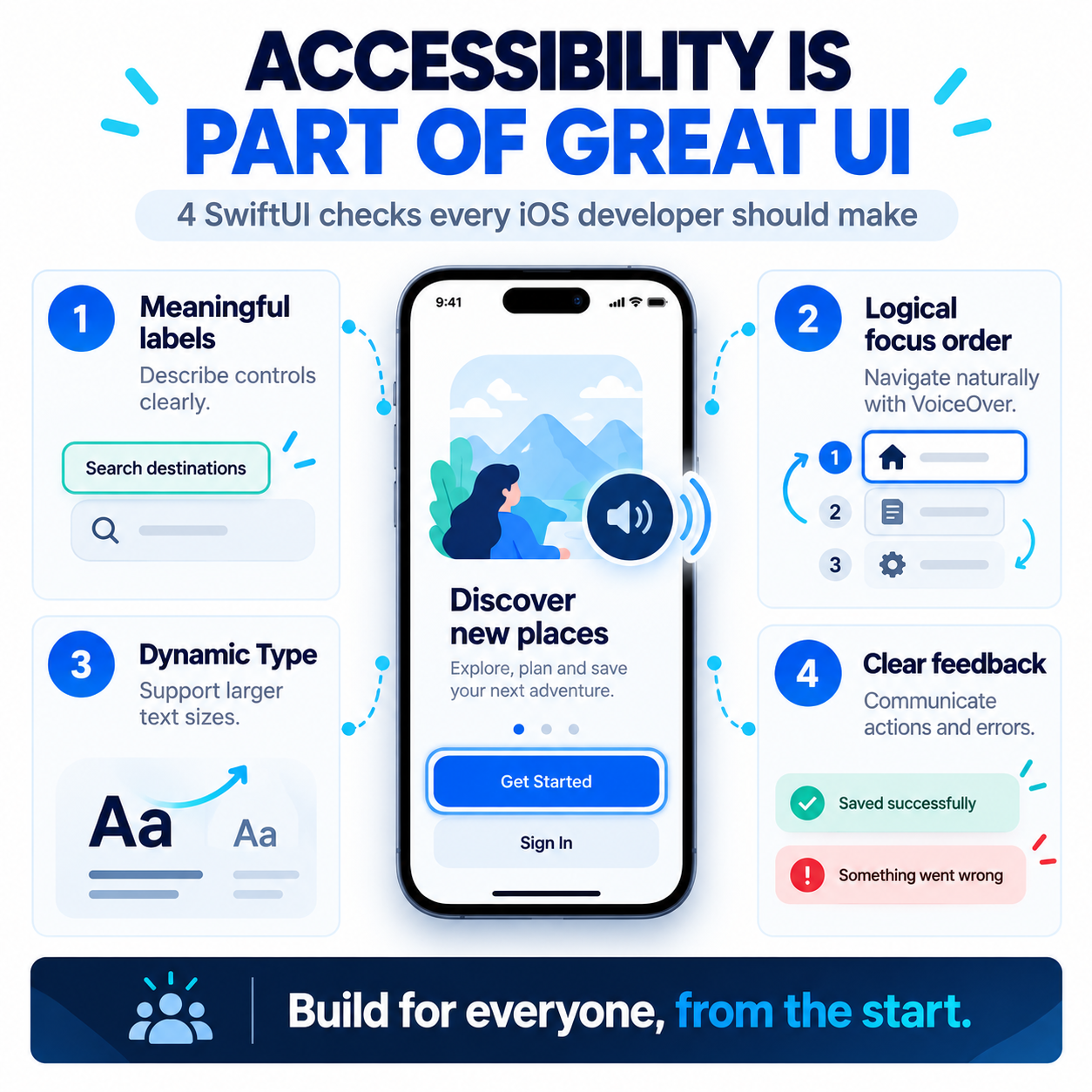
Here are four things I believe every iOS developer should check:
🔹 Meaningful accessibility labels — Make buttons and controls understandable to assistive technologies.
🔹 Logical navigation order — Ensure users can move through the interface naturally.
🔹 Dynamic Type support — Let users increase text size without breaking the layout.
🔹 Clear interaction feedback — Make important actions, errors, and state changes understandable.
Accessibility works best when it's considered from the beginning, not added as a last-minute checklist.
A small improvement in the interface can make a meaningful difference to someone's experience.
💬 iOS developers: Have you tried completing your app's main user journey using VoiceOver?
#iOSDevelopment #SwiftUI #Accessibility #AppleDevelopment #InclusiveDesign
#iosdevelopment#swiftui#accessibility#appledevelopment#inclusivedesign